
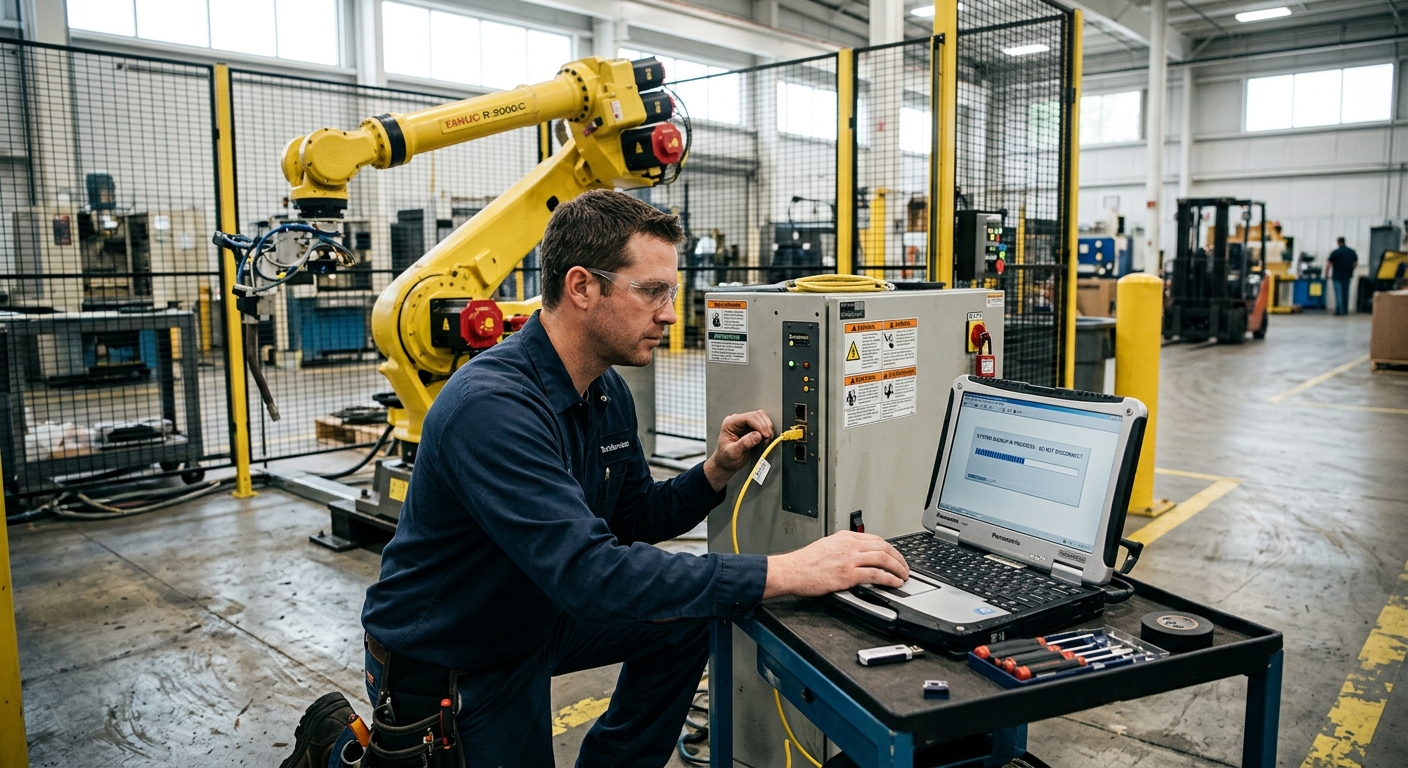
An industrial robot can be mechanically healthy and still become difficult to return to production if its industrial robot backups are incomplete. Before maintenance, controller work, relocation, or cell modification, the real question is not simply whether someone copied the robot programs. It is whether the plant has preserved enough information to reconstruct the operating system as it actually runs in production.
That distinction matters because a robotic cell depends on more than motion programs. Tool and work references, calibration information, controller configuration, communication settings, application data, PLC logic, safety configuration, software versions, and documentation can all affect recovery. The exact files and backup procedures vary by robot manufacturer, controller generation, software options, and cell architecture.
A good backup therefore has two purposes. It preserves recoverable controller data and the technical context behind it. Technicians can then use that information during service, relocation, recommissioning, or repair.
A Robot Program Backup Is Not Necessarily a Complete Recovery Backup
One of the most dangerous assumptions before maintenance is that saving production programs means the robot has been backed up. Programs are important, but they represent only one part of the system.
A production program may call positions, tools, work frames, variables, routines, external equipment, application instructions, and controller functions that depend on other stored information. Restoring the program without those dependencies can leave the plant with files that appear complete but cannot reproduce the previous operating condition.
This is why backup planning should begin with the recovery question: if this controller lost data or this robot had to be recommissioned, what information would technicians need to reproduce the known production state?
The answer depends on the system. A simple handling robot may need a relatively straightforward recovery package. A welding cell may require additional data for its positioner, PLC, process equipment, safety controller, and application-specific software.
Backup discipline is therefore part of a broader strategy for minimising downtime in robotic automation. The value of a backup becomes visible when recovery is urgent, and that is the worst time to discover that an essential file or configuration was never saved.
What Information Should Be Preserved Before Maintenance or Relocation?
There is no manufacturer-independent list of file names that applies to every industrial robot. ABB, FANUC, KUKA, Yaskawa, and other platforms organize controller information differently, and different controller generations from the same manufacturer may also use different backup structures.
For that reason, the plant should use the backup procedure specified for the exact robot and controller. Operationally, however, the information that needs protection can be grouped into several important categories.
Robot programs and application routines
Save the production programs required to run the application, together with relevant subprograms, routines, jobs, macros, recipes, application data, and other program-dependent information supported by the controller.
Do not assume that the program visible to an operator is the complete application. A main production routine may depend on other routines for tool changes, recovery, homing, machine communication, cleaning, inspection, fault handling, or product changeovers.
Tool, work, and coordinate information
The relationship between programmed positions and the physical cell is critical. Depending on the robot platform, this may include tool definitions, work objects, user frames, base frames, coordinate systems, offsets, and related calibration information.
These values matter particularly during relocation. A program can remain unchanged while the physical relationship between cell components changes. After moving the equipment, technicians must verify the robot, fixture, machine, conveyor, positioner, and workpiece geometry.
Calibration, mastering, and robot-specific reference data
Preserve the calibration or mastering information required by the exact controller and robot according to the manufacturer’s procedure. This information should be treated differently from ordinary production programs because it can be associated with the robot’s mechanical reference condition.
Do not use a calibration procedure from another robot family or controller generation. Before mechanical work, encoder-related service, controller replacement, or relocation, identify the robot-specific data you need to record. Then follow the manufacturer’s recovery procedure for the exact robot and controller.
Controller configuration and system parameters
Controller settings can determine how the robot behaves even when the production programs have not changed. Depending on the system, relevant information may include system configuration, installed options, application settings, I/O definitions, motion-related parameters, communication configuration, and other controller-level data.
Document the software version and installed options as well. Do not assume that another controller can accept the same backup. Check controller, software, and option compatibility before attempting a transfer or restoration.
Communication and I/O configuration
A robot normally operates as one component of a cell. It may exchange signals and data with PLCs, machines, conveyors, weld equipment, vision systems, grippers, positioners, safety equipment, or supervisory systems.
Preserve enough information to reconstruct those interfaces. Record the I/O mapping, network configuration, handshake logic, and relevant device settings. Also document what signals and responses the robot expects from the rest of the cell.
This becomes especially important during relocation because network architecture, PLC connections, peripherals, or machine interfaces may change at the destination. URT’s guidance on important factors when integrating a robot provides useful context for treating these interfaces as part of the complete system rather than as secondary details.
Safety-related configuration and documentation
Safety information requires particular care. A controller backup should not be treated as proof that a relocated cell remains safe simply because the original settings can be restored.
Relocation can change guarding, access points, equipment positions, operator interaction, and recovery procedures. It can also change external axes and the physical boundaries of the cell. Preserve the existing safety configuration and documentation. Then review and validate the safety functions for the new installation.
Plants planning this work should also consider the broader robotic cell safety requirements that protect people and processes. Backup and restoration are recovery tools; they do not replace safety assessment after physical changes.
The Backup Should Extend Beyond the Robot Controller
A common recovery problem occurs when the robot has been backed up correctly but the cell has not. The robot arm and controller may be central to the application, but production can still depend on PLC logic, HMI configuration, vision files, process equipment, recipes, external-axis settings, and other devices.
Before major maintenance or relocation, identify every programmable component needed to reproduce the cell’s operating state. Assign responsibility for each backup. The plant should keep its own controlled copies rather than depend on an integrator, machine builder, or previous employee during a failure.
Cell documentation is equally important. Electrical drawings, system architecture, component manuals, robot and PLC backups, calibration information, operating instructions, maintenance information, software versions, and relevant safety documentation can collectively provide the context needed to recover or recommission a system.
This is one reason internal capability matters alongside the files themselves. Staff responsible for the equipment should understand what has been backed up, where it is controlled, and when specialist assistance is required. That fits into the broader question of what training staff need to operate and maintain industrial robots.
Relocation Creates a Different Risk From Routine Maintenance
A backup can restore digital information. It cannot automatically restore the physical geometry of a robotic cell.
When a robot is removed from its base, a fixture is repositioned, a machine is moved, an external axis is disturbed, or the cell is reconstructed at another site, physical relationships can change. Programs and stored frames may still exist exactly as before, while the real equipment no longer occupies exactly the same relationship.
For that reason, create a pre-relocation record that extends beyond the controller files. Document the robot and controller identification, relevant tooling, cell connections, and equipment relationships. Include the software state, calibration references, and other application-specific information needed for recommissioning.
Photos and engineering records can be useful supporting evidence, but they should not substitute for the manufacturer’s calibration procedures, drawings, controlled configuration records, or proper commissioning checks.
Do not confuse restoration with recommissioning.
Successful file restoration only confirms that data has been returned to the controller. It does not prove that the robot’s real-world positions, tooling, external equipment, safety functions, communications, or production process remain correct.
After relocation, the cell should be treated as a system that must be checked before returning to normal production. The scope depends on what was moved or changed, but the principle is consistent: verify the physical and functional system rather than assuming that a successful restore recreates the previous installation.
Backup Version Control Matters as Much as Creating the Backup
A folder containing several unidentified robot backups can create almost as much uncertainty as having no backup. If technicians cannot determine which copy represents the last validated production condition, restoration becomes a configuration decision made during downtime.
A practical backup process should identify the robot, controller, date, and reason for the backup. It should also identify the production or software state. When the plant controls changes internally, include backups in the same change-management process as program modifications and commissioning records.
Keep a protected master copy outside the controller itself. The storage method should follow the plant’s IT and operational technology policies, with access controlled so that important backups cannot be casually overwritten or confused with unvalidated modifications.
Creating backups at meaningful change points is also important. A copy made months before several program, tooling, or integration changes may restore successfully while returning the cell to a state that no longer matches production.
Common Backup Mistakes That Increase Recovery Time
Missing files do not cause every backup problem. Gaps in the recovery package often create the real difficulty. The plant may think it has preserved everything while critical recovery information remains missing.
Typical mistakes include saving only production programs, keeping the only backup on media associated with the controller, failing to identify the controller or software state, overlooking PLC or peripheral configurations, and assuming that calibration information can be reconstructed after work begins.
Another mistake is performing the backup but never confirming that the files are readable, complete, and associated with the correct machine. A backup process should include verification appropriate to the manufacturer and the plant’s recovery procedure rather than treating successful file copying as the final step.
Relocation adds another failure mode: assuming that restoring the old configuration means the cell can immediately return to production. Digital restoration and physical recommissioning solve different problems.
When Specialist Support Is Needed
Routine program archiving may be manageable by trained plant personnel. The risk changes when the planned work affects calibration, mastering, controller hardware, storage devices, safety configuration, software options, external axes, or the physical installation of the robot.
Specialist support also makes sense when nobody can confirm that the backup is complete. The same applies to older controllers or cells that lack documentation from the original integration. Starting maintenance before confirming the recovery requirements can turn planned work into extended downtime.
The technician or integrator should work from documentation for the exact robot and controller generation. Procedures that are correct for one manufacturer’s controller, or even one generation from the same manufacturer, should not be assumed to apply to another.
This is especially relevant for older or previously integrated equipment, where controller compatibility and system history can influence recovery planning. Plants working with such equipment should consider backup availability alongside spare parts, support, and other robot maintenance requirements.
Backup Checklist Before Work Begins
Use this checklist as a planning framework rather than as a manufacturer-specific backup procedure. The exact files, commands, media, permissions, and restoration process must be verified for the robot, controller, installed options, and complete cell.
- Identify the equipment: record the exact robot, controller, relevant peripherals, software state, and cell identification.
- Save robot programs: preserve production programs, subprograms, routines, and other application files required by the system.
- Preserve coordinate information: include relevant tool, work, base, user-frame, offset, and coordinate data where applicable.
- Preserve calibration information: identify and save the mastering, calibration, or reference information required by the exact manufacturer and controller.
- Save controller configuration: preserve applicable system settings, options, parameters, application configuration, and I/O information.
- Document communications: preserve the configuration and records needed to reconstruct PLC, network, peripheral, and machine interfaces.
- Protect safety information: preserve relevant safety configuration and documentation while recognizing that physical changes may require new validation.
- Back up the cell: include relevant PLC, HMI, vision, process-equipment and other programmable-device information, not just the robot.
- Preserve engineering documentation: retain current drawings, software information, calibration records, manuals, and commissioning information needed for recovery.
- Label the backup: identify its date, equipment, reason, revision, and validated production state.
- Store a protected copy: keep the recovery package in a controlled location independent of the robot controller.
- Verify before intervention: confirm that the backup is complete and usable according to the applicable manufacturer’s procedure before maintenance or disassembly starts.
- Plan recommissioning: define which geometry, communications, safety functions, tooling and production functions must be checked after the work.
FAQ
Is saving the robot programs enough before maintenance?
No. Programs may depend on tool and work coordinates, system parameters, calibration information, I/O, communication configuration, application data and other controller information. The exact backup scope must be determined for the specific robot and controller.
Should calibration or mastering data be backed up?
Relevant calibration, mastering or reference information should be preserved according to the manufacturer’s procedure for the exact robot and controller. This becomes particularly important when planned work could affect mechanical reference information, encoders, controller hardware or the relationship between the robot and its cell.
Do I need a new backup before every maintenance job?
The appropriate backup policy depends on the plant and the planned intervention, but technicians should not rely on an old copy without confirming that it represents the current validated production state. A current backup is especially important before work that could affect controller data, configuration, calibration or system recovery.
Can the same backup be restored after moving the robot?
The stored data may remain useful, but restoring it does not prove that the relocated cell has the same physical geometry or operating condition. Robot mounting, fixtures, tooling, machines, external axes, safety equipment and coordinate relationships may need to be checked and recommissioned after relocation.
Should the PLC be backed up as well as the robot?
If the PLC is required for cell operation, its program and relevant configuration should form part of the recovery plan. The same principle applies to other programmable equipment whose data is necessary to restore the cell.
Where should industrial robot backups be stored?
A protected master copy should be maintained independently of the controller and managed under the plant’s IT and operational technology policies. The backup should be clearly identified so technicians can determine which version represents the validated production state.
Talk to URT About Industrial Robot Backup Planning
If you are evaluating industrial robot backup planning, contact URT. We will give you a direct, technical answer based on your actual production requirements.